How to Fix the “Self-Signed Certificate in Certificate Chain” Error?
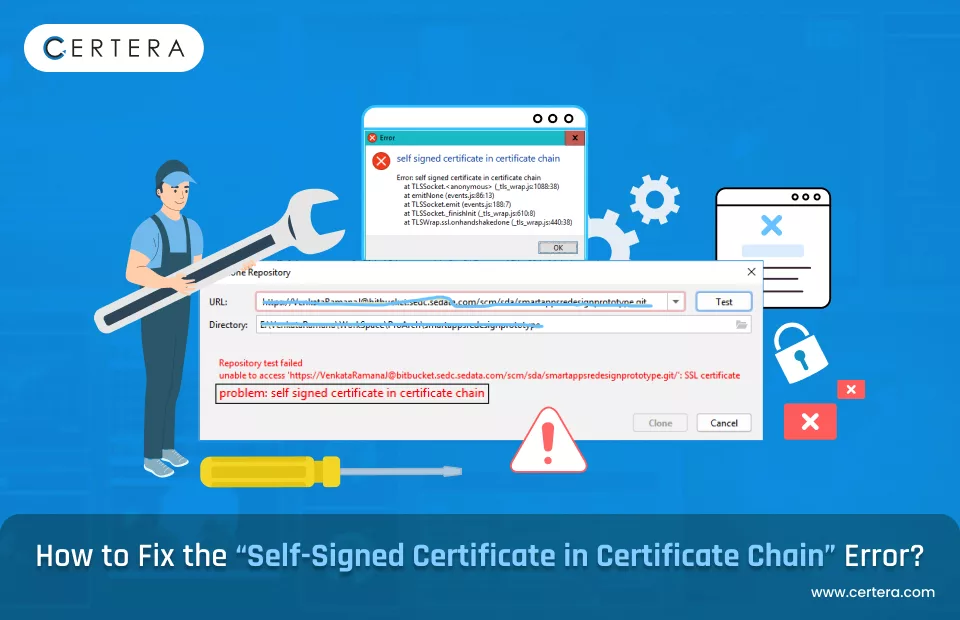
What is Self-Signed Certificate in Certificate Chain Error?
While handling SSL/TLS certificates, errors are most likely to take place. While this error is most likely to be seen by administrators, developers, and users alike, it is the “Self-Signed Certificate in Certificate Chain” error.
This error occurs when a self-signed certificate is either active or somehow managed among the Certificate Authority (CA) list of the client.
Self-signed certificates usually create connection failures between the client and server due to the inability to verify their authenticity. This article considers the error, its causes, and how to fix it.
Generally, an SSL certificate chain should comprise a certificate that starts from the server down to the root certificate through intermediate certificates that are capable of being trusted by the client.
A self-signed certificate has no root authority signing it hence untrusted by the client, causing the error also. This can happen in case there is a CA that is not recognized or a case where the certificate chain is incomplete.
Causes of Self Signed Certificate Error
It can occur due to various factors related to the cert configuration and chain validation. Here are the main causes:
Incomplete Certificate Chain
Incomplete certificate chain is one of the common causes for the error message. SSL/TLS certificates each have a hierarchical structure whereby every certificate must be signed by a trusted certificate authority (CA).
The complete chain should have a server certificate, intermediate certificates and root certificate. If the server sides with intermediate certificates or are due to be configured, the client cannot fully validate the chain.
Thus, the client considers the first certificate in the chain a self-signed certificate, since from the clients’ point of view there is no trusted root certificate available for validation.
To avoid such situations, it is best that the server provides all certificates that are needed in the given order, so as to ensure the chain is fully trusted.
Self-Signed Root Certificate
This error arises very often due to the use of a self-signed certificate in its chain of trust as the root certificate. Root certificates are a prerequisite to the SSL/TLS validation procedure, and ordinarily, they are signed by renowned trustworthy certificate authorities.
One of the probable causes however, can be when a self-signed certificate serves as root in the certificate chain, especially in organized by internal or development setups where clients are required to check the validity of the server’s certificate.
Self-signed certificates are not naturally approved by external clients or browsers, and they need to be explicitly included in the client trust list.
However, doing so isn’t advisable in a production system since it poses security problems. Instead, for valid and appropriate validation, obtaining a SSL certificate from a recognized CA is necessary.
Misconfigured Web Server
Misconfigured servers often produce the error of “Self-Signed Certificate in Certificate Chain.” This usually occurs when a server administrator forgets to include or misconfigured intermediate certificates during the installation of SSL/TLS certificates.
The server should be configured to present not only the server certificate but also all the intermediary certificates composing a chain of trust that leads back to the root certificate authority.
If the server sends just its own certificate, without intermediates, the client cannot trust the certificate and will throw that error, thinking a self-signed certificate is in the chain.
Misconfiguration of servers may occur from incorrect reading of files containing certificates, incorrect file paths, or simply forgetting to concatenate certificates in a specific order.
Following the installation instructions specific to a Web Server (eg: Apache, Nginx & IIS) will ensure that during the SSL handshake the server sends the complete chain.
Outdated or Untrusted Certificate Authorities (CA)
If the root or intermediate certificates in the chain come from a CA that is no longer trusted by clients, this could be one of the errors encountered. Certificate authorities periodically refresh their root certificates, or stop trusting certain certificates altogether, particularly if they are deprecated or were compromised.
If a certificate chain includes an intermediary or root certificate from an outdated or untrusted CA, modern browsers or clients will not be able to validate the certificate and will classify it as untrusted.
In some instances, the server could, after the CA has updated their root or intermediate certificates, still continue using old certificates.
The solution is ensuring that the certificates being used are from a current and trusted CA with regular checks to ensure CA certificate validity.
Expired Certificates
Another major reason for the “Self-Signed Certificate in Certificate Chain” warning is the expiration of one or more certificates present inside the calling chain.
SSL certificates, including the root and intermediate and server certificates, have a date after which they are no longer deemed valid.
If any certificate in the certificate chain has expired, then the client will fail to validate the chain altogether, displaying it instead as a self-signed one.
Also Read: How to Fix the Expired Intermediate SSL Certificate Error in Windows, MAC, Nginx, and Apache?
This is all the more problematic when an expired intermediate certificate is part of the chain, and the server fails to be configured with a valid current chain.
Constant observation of certificate expiration dates and constant renewal of the certificates, well before these dates, are vital to ensure that these errors are prevented.
If a certificate is expired, then it should be replaced with a new and trustworthy CA certificate if the validity of the chain should be restored.
How to Fix the Self-Signed Certificate in Certificate Chain Error?
The Self-Signed Certificate in Certificate Chain is an error arising from a broken or incomplete certificate trust chain. Here is a clear guideline for correcting the problem:
Update the Certificate and Chain
Verify that your certificate and its complete chain, including all intermediate and root certificates, are updated. Get the correct chain from the issuing Certificate Authority (CA) and install it on the server.
Restart the web server or related services to test your changes. This step is to also resolve any expired or misconfigured certificates which might be causing the error.
Use SSL Analysis Tools
Tools such as SSL Checker, SSL Labs, OpenSSL, or other certificate checkers will help with the determination of where the specific problem has arisen.
These tools check the certificate chain and any possible expired certificates, as well as that the appropriate domain should be mentioned on the certificate. By resolving the issues pinpointed in this way, you would be able to fix your configuration problems.
Clear Browser Cache
There could be conflicts caused by cached SSL certificates stored in your browser. Clear the cache and cookies from your browser, and reopen the site over HTTPS. This action will force the browser to fetch the most recent SSL certificate and will also fix errors caused by deprecated or incorrectly cached entries.
Examine Intermediate Certificates
Check certificate chain intermediate certificates. Missing, misconfigured or self-signed intermediate certificates could break trust in the chain.
Acquire valid intermediate certificates from the certificate authority and install them on the server to establish a valid trust chain.
Verify the Trusted Root CA Certificate
Ensure that the root CA certificate is in the trust store of the server and client systems. The root CA must match the list of CAs recognized as trusted by major web browsers and operating systems. If the root certificate is absent or untrusted, manually download and install it to correct the trust issue.
Replace Self-Signed Certificates
Replace self-signed certificates with certificates issued by a trusted Certificate Authority (CA). An authentic CA-signed certificate will be compatible with all browsers and provide an appropriate trust chain, thus eliminating the main cause of the error.
Install the Complete Certificate Chain
Make sure the web server is configured with the complete certificate chain, including the root, intermediate, and end-entity (domain) certificates.
Many errors arise from an incomplete chain, where intermediate certificates are missing. Proper chain configurations guarantee continuous validation by browsers and clients.
How to Prevent this Issue?
The Self-Signed Certificate in Certificate Chain error can be avoided by adopting best practices in setting SSL/TLS configurations and maintaining their accuracy.
Here follows a detailed set of actions that could be undertaken to avoid this error:
Use Certificates from Trusted CA
To establish trust, make certain to always go to a globally acknowledged Certificate Authority (CA) to obtain SSL/TLS certificates.
Trusted CAs issue those certificates inherently accepted by major browsers and operating systems; thus, the user enjoys a seamless experience.
Self-signed certificates can be proper for internal or development purposes, but no trust framework is present for applications exposed to the public. Buying into a trusted certificate eliminates error messages and reinforces credibility with users.
Maintain a Complete Certificate Chain
A certificate chain consists of root certificates, intermediate certificates, and end-entity (server) certificates. When configuring the server, include the entire chain in the configuration.
Also Read: How to Fix the ERR_SSL_VERSION_INTERFERENCE Error?
A missing intermediate certificate is often the cause of the Internal Server Error. Indicating a complete chain allows client(s) to verify the complete trust path from the root CA to your server certificate and avoid any hitches with trust.
Regularly Renew Certificates
SSL/TLS certificates have validity periods that expire periodically; expired certificates usually create a break in the chain of trust that causes errors.
By means of a monitoring system or scheduling tool, keep reminders and renew the certificates plenty ahead of time before the expiry.
Read Also: What Is Certificate Automation? How Automation Helps Prevent SSL Attacks?
As an added point, timely renewal of the certificates, therefore, ensures security and truthfulness to your site or application through their continuous functioning.
Implement Proper Server Configuration
Misconfigurations on a server can lead to certificate problems with good certificates in place.
You have to ensure that your Certificate Authority’s or hosting provider’s instructions are closely followed, in order for the server to deliver the complete set of certificates.
Make use of tools such as OpenSSL or Qualys SSL Labs to diagnose misconfiguration and evaluate whether the SSL/TLS setup meets the industry standards.
Use Automated Certificate Management
Manual certificate management is laborious and may also suffer from errors. Automated Certificate Management solutions offer monitoring with automatic renewals which make the whole process a lot easier.
Platforms like Certbot, Sectigo Certificate Manager or DigiCert Trust Manager ensure that issuance, renewal, and installation are performed in the most simple manner.
Automation eliminates the risk of human error and allows your certificates to be always current and properly installed.
Validate Certificates Periodically
Monitor the validity of your certificates and their configuration frequently with SSL diagnostic tools, for example, DigiCert Certificate Utility, or any OpenSSL commands.
These tools can help to isolate problems such as expired certificates and missing intermediates to mismatched domain names. An active approach to validation allows issues to be fixed before they negatively impact users.
Avoid Self-Signed Certificates for Public-Facing Applications
Self-signed certificates are great in environments that aren’t too critical, such as internal networks or when developing.
They must be avoided for public-facing websites or applications. It is in the interest of public users that trusted CAs authenticate the identity of websites.
Self-signed certificates in these scenarios can lead to a loss of trust, additional warnings, and possibly loss of user trust. CA-signed certificates are a must for production systems to maintain a trust environment; they are compliant.
Keep Systems and Browsers Updated
Browsers and operating systems update their list of trusted CAs frequently. If the client systems or browsers are outdated, they may not recognize the newer root CAs or intermediate CAs, causing some errors in validation.
Regular updates will allow for adequate compatibility with today’s SSL standard and prevent any subsequent errors from rocking obsolete trusted lists.
In addition, encouraging users to keep their systems updated is also a way to mitigate certain problems of trust from the client side.
Educate and Train Administrators
Training personnel on SSL/TLS best practices for successful management and maintenance of the systems is very important. Well-trained IT administrators are able to perform certificate issuance, installation, and troubleshooting with fewer errors.
Providing your team with training resources, webinars/online sessions, and documentation helps keep them up to date with new SSL/TLS best practices and standards.
Conclusion
Secure Your Website Now! Get affordable, trusted SSL certificates from Certera and protect your users with robust encryption. Buy today and ensure peace of mind!

Remove Browser Security Warnings
Get rid of Browser Security Warnings like Not Secure Connection and Your Connection is Not Secure by Adding SSL Cert to Website.
Starts at Just $3.99/Year