
Always Secure. Always Renewed. Always Automated

RapidSSL + Automation Plan
Fully Automated Certificate Installation and RenewalRapidSSL DV provides your domain with an SSL connection in no time, and AutoInstall SSL does everything else, from SSL Certificate issuance to installation and renewal, without requiring you to lift a finger. This plan is designed for people who don't want to deal with all the hassle of SSL, as it comes standard and doesn't need configuration, or remembering expiry dates on the calendar. You receive a trusted domain-validated certificate from RapidSSL, and the automation layer removes all the repetitive tasks from your burden from the get-go. Set it up once. Walk away. Your site remains secure.
RapidSSL Certificate with Auto Issuance, Installation & Renewal
 Site Seal
 10-15 Minutes Issuance
 One-command Installation
 Automatic Certificate Renewal
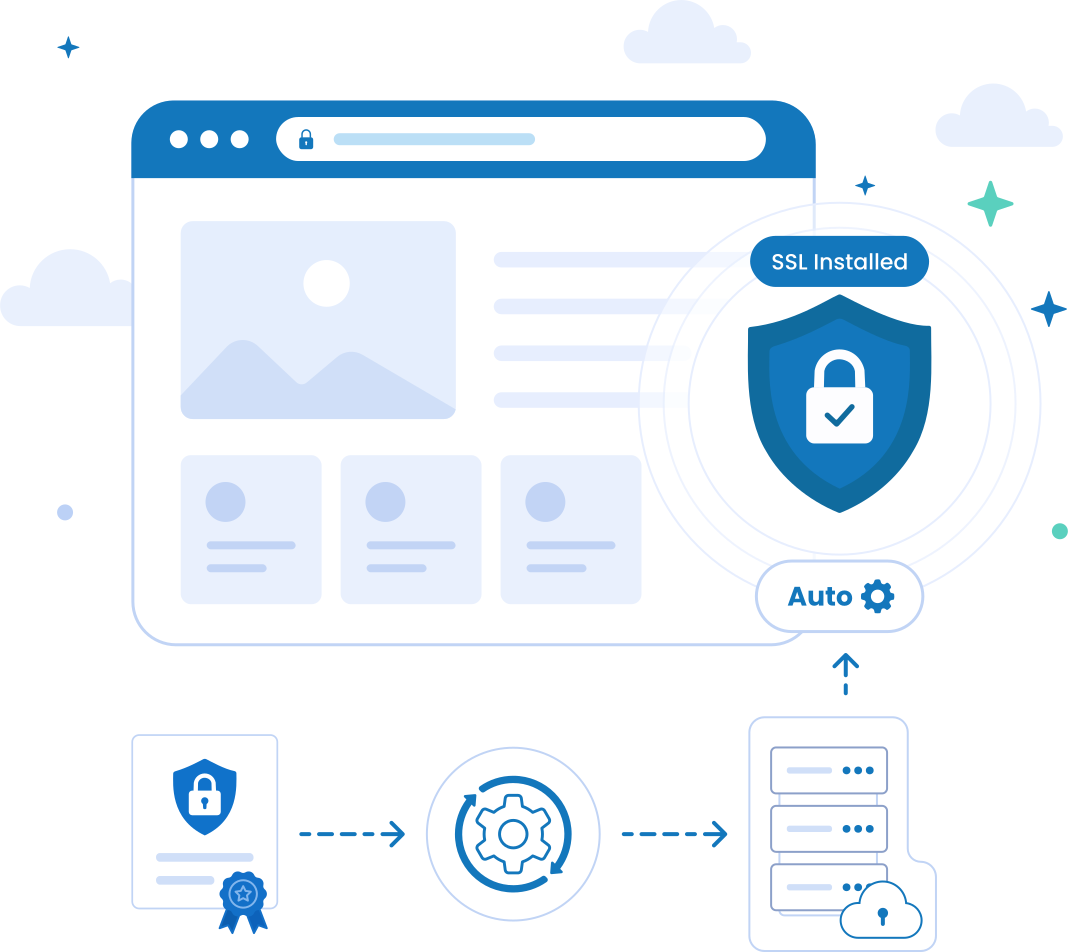
Keep your Website Protected without Manual SSL Management using ACME AutoInstall
Managing SSL certificates used to be simple. Today, shorter certificate lifespans make renewals a constant task that can easily be missed. RapidSSL DV + Automation eliminates the manual work. It automatically handles certificate issuance, validation, installation, and renewal, keeping your website secure without ongoing maintenance.
No missed expirations. No browser security warnings. No manual renewals. It works seamlessly with Apache, NGINX, IIS, and many cloud environments.
Choose the Automation Method that fits your Environment:
AutoInstall SSL for ServersAutomatically issues, installs, and renews certificates on Apache, NGINX, and IIS servers.
ACME Protocol AutomationLeverages DigiCert ACME automation to manage certificates on any ACME compatible platform, application, or device.
For single domain websites, RapidSSL Automation is the easiest way to keep SSL security running in the background.
Automated RapidSSL Certificate Features
- Automated Installation
- Automated Domain Control Validation
- Zero Manual Renewals
- Eliminate Risks and Downtime
- Unlimited Server License
- 99% of all Compatibility
- 256-bit Encryption
- 2048-bit CSR encryption
- RSA and ECC Algorithms
Benefits of SSL Automation
![Zero Downtime from Expired SSL]() Zero Downtime from Expired SSL
Zero Downtime from Expired SSL
 Zero Downtime from Expired SSL
One expired certificate is all it takes for browsers to show scary “Not Secure” warnings. AutoInstall SSL® renews and deploys certificates automatically before they expire, keeping your websites trusted and online 24/7.
![Shorter SSL Lifecycles]() Shorter SSL Lifecycles
Shorter SSL Lifecycles
 Shorter SSL Lifecycles
SSL validity periods are on the quick decline, and 47-day lifecycle may be closer than businesses realise. Automation guarantees your infrastructure is prepared for the future with no additional load on your IT staff.
![Fully Automated Installation & Renewals]() Fully Automated Installation & Renewals
Fully Automated Installation & Renewals
No manual CSR generation, validation uploads or Server configuration edits required. AutoInstall SSL Tool automates the entire life cycle of SSL, from issuance to deployment to renewal.
![Secure Unlimited Subdomains]() Secure Unlimited Subdomains
Secure Unlimited Subdomains
 Secure Unlimited Subdomains
Secure all subdomains under the wildcard SSL certificate without the need for separate SSL certificates for each subdomain. Easy, scalable security solutions for expanding businesses and modern technologies.
![Save Hours of IT & DevOps Work]() Save Hours of IT & DevOps Work
Save Hours of IT & DevOps Work
SSL management shouldn't eat up your time. Automation takes repetitive certificate work, allowing your developers to focus more on shipping your products and less on fixing your certificates.
![Scale Your Infrastructure]() Scale Your Infrastructure
Scale Your Infrastructure
 Scale Your Infrastructure
No matter how many subdomains you have or customers, SSL automation handles everything, ensuring everything is organised, updated, and secure in the background without the operational headache.
AutoInstall SSL - Automated SSL Certificate Deployment Tool
AutoInstall SSL is a tool that automates everything related to SSL certificates. It requests, validates, installs, verifies and renews your SSL certificates on Windows and Linux systems, so you never have to touch SSL certificates. It does not just renew your SSL certificates. It takes care of the process of managing SSL certificates automatically, from generating certificates to installing them and renewing them later, without your team having to do anything.
Whether you are using NGINX, Apache, IIS, AWS, or cloud infrastructure, AutoInstall SSL keeps your SSL certificates updated, and your websites secure without any interruptions.
Everything it handles without you asking
- Generates the CSR for you
- Securely stores private keys
- Places validation values automatically
- Validates domain ownership
- Downloads the SSL certificate
- Installs the certificate on your server
- Verifies successful deployment
- Renews certificates before expiration
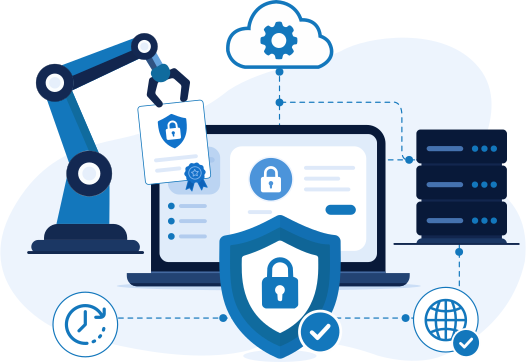
4 Easy Steps to Achieve SSL Automation using AutoInstall SSL Tool
Install the Agent
Paste one terminal command from your dashboard onto your server
Run Install Command
Paste the second command with your token, confirm your domain, and hit Enter
Certificate Goes Live
Agent validates, downloads & installs your cert. HTTPS is live instantly
You're Done. Permanently
Auto-renews 28 days before expiry, no reminders, no action, ever again
Note: Requires root/admin access to the server
User must have admin access to their Windows or Linux server (typically via SSH or RDP). This could be a dedicated server, VPS hosting, or cloud servers (like AWS EC2, Azure VM, GCP Compute, DigitalOcean Droplets, etc.)
DigiCert ACME – Automated Certificate Lifecycle Management
With DigiCert ACME you can automate your SSL/TLS certificate lifecycle using CertCentral so that you can manage your preferred ACME-compatible client to automatically request, validate, deploy and renew all of your SSL certificates without manual intervention. This means you will no longer need to track expiration dates on certificates, manage renewal schedules for certificates or perform repeatable installations of certificates.
When it comes to securing web servers, cloud environments, Kubernetes clusters, DevOps Pipelines, enterprise applications or a Private Key Infrastructure (PKI), DigiCert ACME will keep your certificates up to date and in compliance continuously and reduce your operational risk from outages caused by expired certificates.
Offers Everything you need:
- Flexible Validation Options
- Automates SXG Cert Deployment
- Supports Wildcard and SAN Domains
- Public & Private Certificates
- Set-and-forget Automation
- Broad Protocol Support
- Extended Flexibility via Trust Manager
- Lower Administrative Burden

4 Easy Steps to Achieve SSL Automation using DigiCert ACME Service
Select Installation Method
Select ACME Management Process while Enrolment instead of AutoInstall
Run Install Command
Install an ACME agent on your server/hosting environment using ready-made command
Certificate Goes Live
Run the command to install the certificate using DigiCert provided EAB Credentials
You're Done. Permanently
Your certificate is installed, renewed, and updated automatically by ACME Client.
ACME CaaS vs AutoInstall SSL: Which Automation Solution Fits Your Infrastructure?
Traditional ACME-based SSL automation works great… if you’re comfortable dealing with clients, validations, scripts, configurations, APIs, and troubleshooting when something breaks. But for most businesses, developers, hosting providers, and growing teams, that’s extra complexity nobody wants.
AutoInstall SSL® takes a different approach. Instead of expecting you to build and maintain the automation yourself, it gives you a fully managed automation experience that simply works out of the box. Compare and choose best as per your requirements:
| ACME CaaS (Certificate as a Service) | Feature | AutoInstall SSL® |
|---|---|---|
| Protocol-based via ACME API requires client configuration |
Automation type How it works under the hood |
Agent-based installed directly on your server, no client setup |
| Moderate client setup plus validation configuration required |
Setup complexity How hard is it to get started? |
Very easy one-time installation with a single terminal command |
| Requires technical knowledge not ideal without a developer |
Ease of use Who can actually use it? |
Beginner-friendly no SSL knowledge needed to get running |
| Fully automated via ACME client |
Certificate issuance How is the cert requested? |
Fully automated via agent no client or script to maintain |
| Automatic renewal before expiry depends on client staying active |
Renewal process Will it ever expire on you? |
Automatic renewal with built-in handling agent monitors daily, renews 28 days early |
| Scripted or API-driven manual steps still likely involved |
Installation How does the cert land on your server? |
Automatic installation by agent deploys directly to IIS, Apache, or NGINX |
Certera offers multiple certificate automation solutions, Checkout All Automation Ways
Frequently Asked Questions
Have Questions? We're here to help.
What is SSL Automation and Why is it Important?
The automatic issuance, validation, installation and renewal of SSL certificates without human intervention are called SSL automation. It's important because SSL certificates are expiring more often in today's world, and automatically generated certificates keep businesses from experiencing downtime, security risks, and the constant upkeep of dealing with certificates by hand.
What is AutoInstall SSL®?
AutoInstall SSL® is an automated SSL deployment solution for the deployment of SSL throughout the entire SSL lifecycle. Everything from generation and validation to installation and renewals happens automatically on your server, and you can secure websites without the hassle of manual SSL management or complicated configurations.
What is the Main Difference between ACME CaaS and AutoInstall SSL®?
ACME CaaS is more developer-oriented, and it needs to be configured via ACME clients, APIs, or scripts. Simple and easy to use, AutoInstall SSL® installs an agent to manage SSL for you with minimal setup and practically no ongoing maintenance.
Which Option should I choose for a Single Website?
If you're looking at a single site or a handful of domain names, AutoInstall SSL® is typically the more desirable option. Easy deployment, less technical management, and automatic renewals and installations – even without custom scripts or ACME client configurations.
Why DigiCert ACME?
As time goes on, SSL/TLS certificates are going to become less valid, and with businesses having more certificates, it becomes increasingly difficult to manage them manually. With DigiCert ACME Service, organizations can take advantage of an automated and centralized way of managing certificates throughout the entire lifecycle, allowing them to continually provide security, improve efficiency and always ensure that certificates are up-to-date and renewed on time.
Can I cancel my subscription after it has been activated?
Yes. You can cancel your subscription at any time. Your subscription will remain active until the end of the current billing period, and you will continue to have access to all subscription benefits until the next renewal date. Your subscription will not renew automatically after cancellation. Please note that no refunds will be issued for the remaining subscription period.

Talk to our 24/7 SSL, Code Signing, & Email Signing experts to resolve issues regarding issuance, validation, & installation.
Live Chat
Connect with our support experts via call or support ticket for Validation, or sales queries.
Submit Ticket
SSL/TLS Certificate Trusted Brands





Trusted by leading brands Globally
Securing some of the World's
Largest & Best Known Brands









Real customer ratings and reviews at
James
Excellent product and one of the best support chat implementation I’ve ever experienced.
Srinivasan M.
Great Customer Support in Helping Choose the Right Product.
Steve F.
Buying my certificate from Certera was a really great experience. The price is unbeatable, and the purchase and delivery were flawless.

Related Posts


Why Choose Certera?

30 Days
Easy Refund

Trusted
Certificate Authority
24/7
Technical Support
